

How To Use NotebookLM Without Accidentally Downloading Quantum Vapor (.DAT files). 3 essential steps.
A survival guide for humans who would like actual files
So you’ve discovered NotebookLM. Congratulations!
You are now approximately 14 minutes away from:
- generating brilliant AI summaries,
- creating podcasts from PDFs,
- producing infographics,
- building AI videos,
- and accidentally downloading seventeen
.datfiles containing the spiritual essence of your project.
This guide exists so you may avoid my fate.
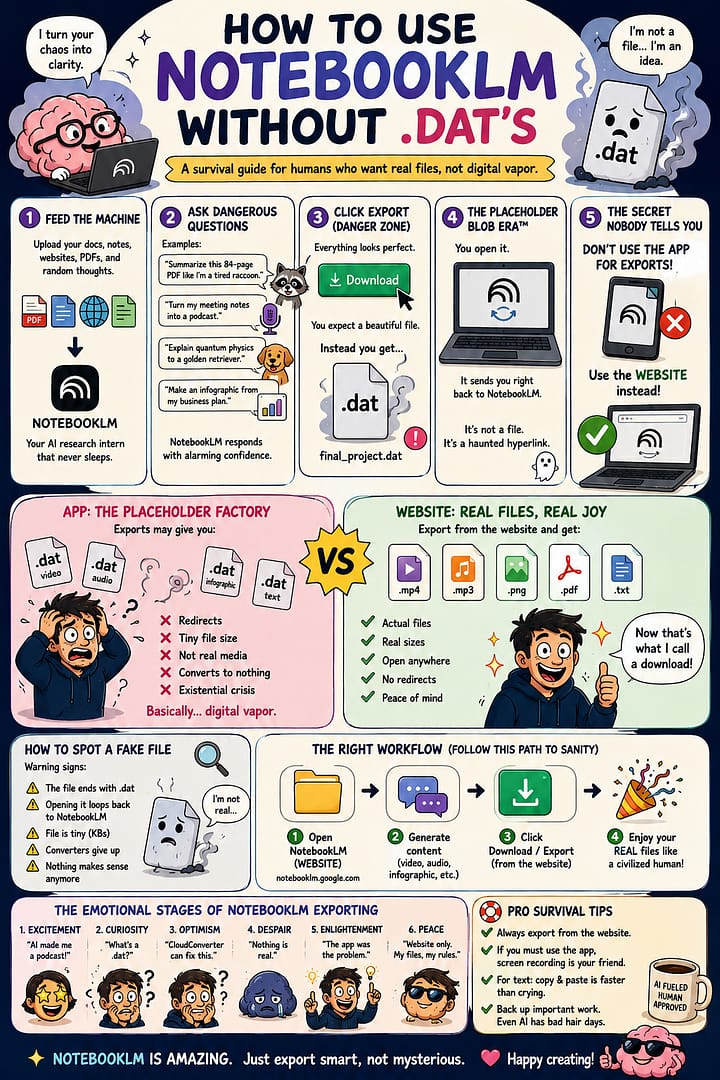
Step 1 — Feed The Machine
NotebookLM is basically:
“What if your documents became sentient interns?”
You upload:
- PDFs
- websites
- notes
- research
- transcripts
- random unfinished thoughts written at 2:17 AM
NotebookLM then politely pretends it understands your chaos and turns it into:
- summaries,
- timelines,
- FAQs,
- podcasts,
- study guides,
- videos,
- infographics,
- and occasionally existential revelations.
Step 2 — Ask Dangerous Questions
Examples:
- “Summarize this 84-page PDF like I’m a tired raccoon.”
- “Turn my meeting notes into a podcast.”
- “Explain quantum physics to a golden retriever.”
- “Make an infographic from my business plan.”
NotebookLM responds with alarming confidence.
At this stage you will feel unstoppable.
This is the trap.
Step 3 — The Export Button
Everything is going beautifully.
You click:
Download
Your soul leaves your body.
The file appears:final_project.dat
Interesting.
Mysterious.
Deeply threatening.
You open it.
It redirects back into NotebookLM like an ancient cursed artifact.
You are now inside:
The Placeholder Blob Era™
What Is A .DAT File?
Excellent question.
Apparently:
- not a video,
- not audio,
- not an image,
- not text,
- not reality.
A .dat file is what happens when the cloud says:
“The content exists emotionally.”
Think of it as:
- Schrödinger’s MP4,
- a haunted hyperlink,
- or a digital sticky note saying:“Trust me bro, your file is somewhere.”
The Secret Nobody Tells You
Here is the actual trick:
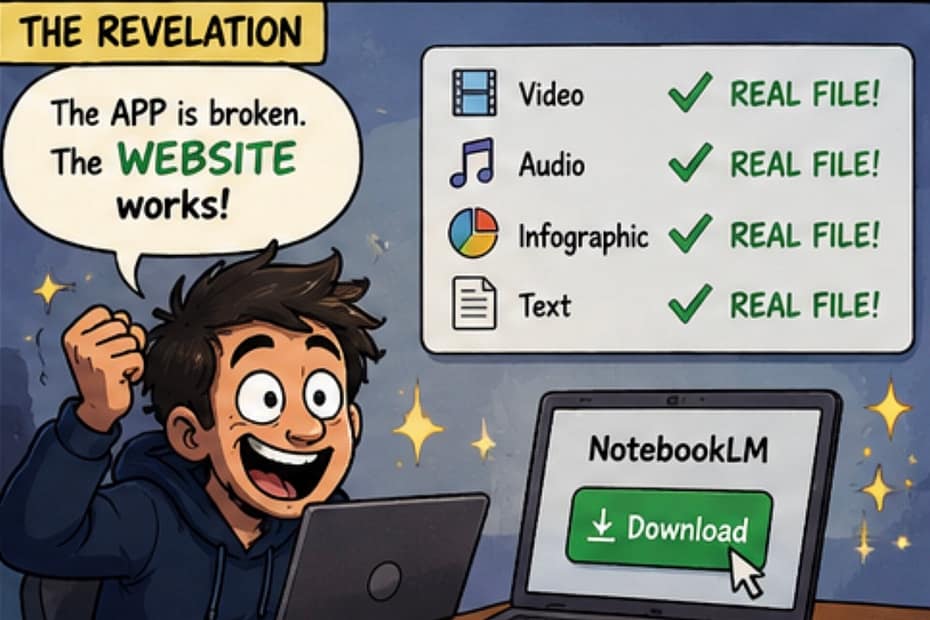
DO NOT USE THE APP FOR EXPORTS
Yes.
Really.
The app may hand you:
- placeholder blobs,
- redirect wrappers,
- digital vapor,
- compressed disappointment.
Instead:
Use The Website Version
Open:
NotebookLM Web
Then:
- Open your project
- Generate content
- Download/export from the WEBSITE
- Receive an actual earthly file
Like:
.mp4.mp3.png.pdf
Civilization restored.
How To Know You Downloaded A Fake File
Signs include:
- every export becomes
.dat - converters cry softly
- opening the file loops back to NotebookLM
- your browser behaves like a wizard
- nothing makes sense anymore
Real media files:
- are large,
- open normally,
- and do not trigger philosophical crises.
Advanced Survival Tips
If exporting video:
Use the website version only.
If exporting audio:
Website again.
If exporting infographics:
You guessed it:
website.
If all else fails:
Screen recording becomes your new religion.
The Emotional Stages of NotebookLM Exporting
- Excitement“AI made me a podcast!”
- Curiosity“What’s a
.dat?” - Optimism“CloudConverter can fix this.”
- Despair“Nothing is real.”
- Enlightenment“The app was the problem.”
Final Thoughts
NotebookLM is honestly amazing.
It feels like:
- an AI researcher,
- a producer,
- a study assistant,
- and a caffeinated librarian fused together.
But exporting from the wrong version can transform your workflow into:
a metaphysical debate about file ownership.
So remember:
- Website = real files
- App = placeholder blob roulette
And if you ever find yourself staring at:my_dream_project.dat
know this:
You are not alone.
Ready to turn your passion into profit?
Join Wealthy Affiliate and learn step-by-step how to promote WA (and apply the same strategies to any niche).
👉 Build skills.
👉 Grow traffic.
👉 Create success on your terms.
Your journey starts here. Why not today?


