

Hosting vs Optimization
Ohhh yes. 🐐🌉
This one is sharp.
Because this is where most people get it wrong.
They blame the bridge…
when it’s the cart.
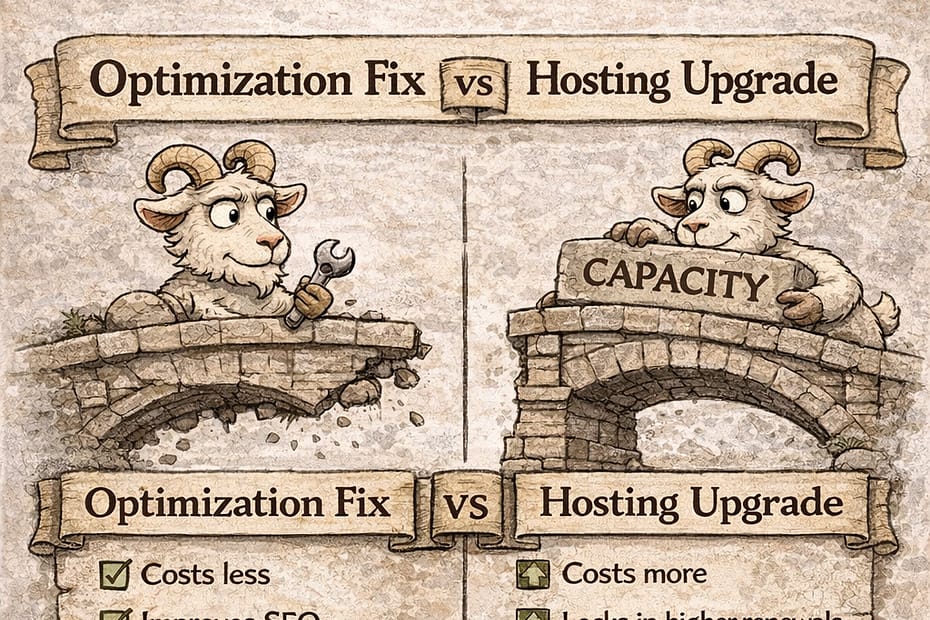
🐐 Hosting vs Optimization
What’s Really Slowing Your Site?
Once upon a very frustrated afternoon, Middle Goat stared at a loading spinner.
It spun.
And spun.
And spun.
A comment appeared beneath the bridge: “Your hosting is underpowered.”
The troll stirred. “UPGRADE!” he shouted.
“Cloud everything!”
Big Goat didn’t move.
He asked one question: “Is this a capacity problem… or a weight problem?”
Because not all slow websites are victims of weak hosting.
Some are victims of heavy baggage.
Let’s separate the two.
🌉 The Core Confusion
When a site slows down, there are two possible culprits:
1️⃣ Hosting Capacity Problem
2️⃣ Optimization Problem
They look similar.
They feel similar.
But they are not the same.
Upgrading hosting won’t fix inefficient code.
Optimizing won’t fix hard resource caps.
You must diagnose correctly.
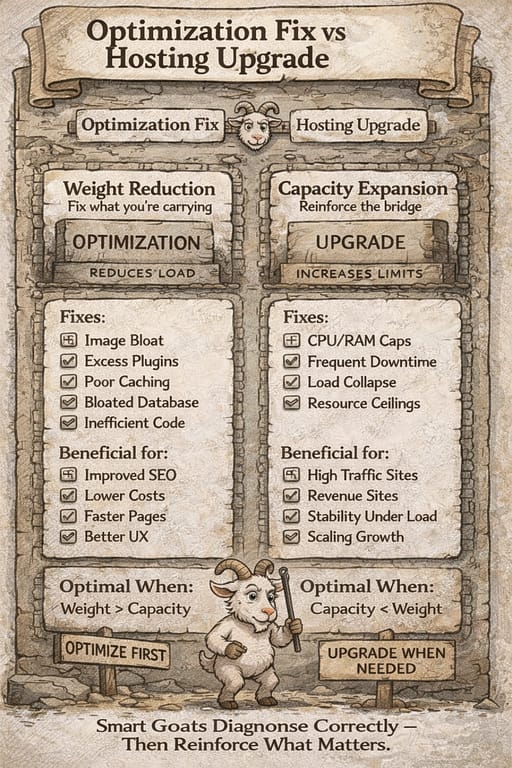
🏗 When It’s a Hosting Capacity Problem
You’re likely facing a hosting issue if:
* You consistently hit CPU or RAM limits
* Traffic spikes cause downtime
* Performance collapses under load testing
* TTFB (Time to First Byte) is high even on lightweight pages
* Resource usage dashboards show maxed-out graphs
* Your site slows even when optimized
These are structural load issues.
The bridge is carrying more than it was designed for.
Upgrade makes sense here.
⚙ When It’s an Optimization Problem
You’re likely facing an optimization issue if:
* Pages are image-heavy
* Plugins are excessive or poorly coded
* Caching isn’t configured properly
* Database tables are bloated
* Scripts block rendering
* You haven’t updated PHP
* There’s no compression (GZIP/Brotli)
* You rely on dozens of external scripts
These are weight issues.
The bridge may be fine.
You’re just hauling unnecessary rocks.
🧌 The Troll’s Favorite Trick
The troll loves absolutes.
“Shared hosting is trash.”
“You need premium cloud.”
“Upgrade immediately.”
But here’s the trick…
He rarely asks:
* What’s your resource usage?
* What’s your traffic volume?
* What’s your plugin count?
* What’s your server configuration?
Without diagnostics…
It’s noise.
🧠 The Diagnostic Framework
Before upgrading, measure:
1️⃣ Resource Utilization
Are CPU/RAM caps consistently hit?
2️⃣ Load Performance
Does the site collapse under simulated traffic?
3️⃣ Page Weight
How many MB does your homepage load?
4️⃣ Plugin Audit
Are any plugins redundant or resource-heavy?
5️⃣ Caching Status
Is page caching active?
Is object caching configured?
If the metrics point to inefficiency…
Optimize first.
If they point to resource ceilings…
Upgrade strategically.
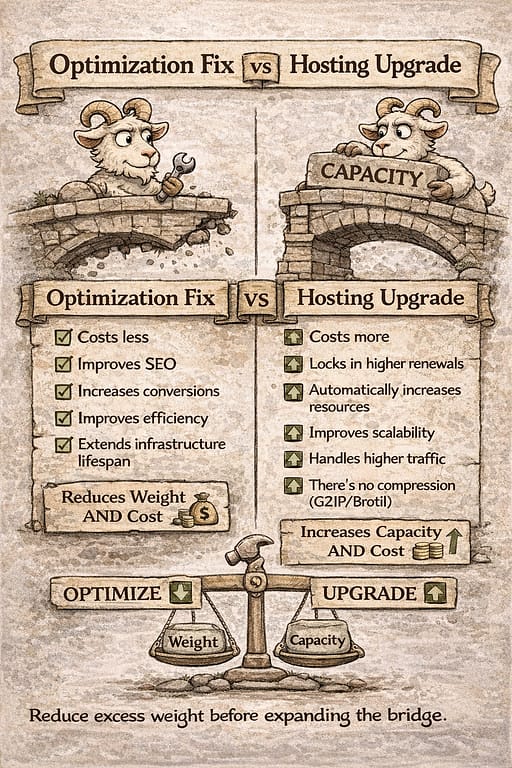
🌉 The Weight vs Capacity Rule
Think of it this way:
Optimization reduces weight.
Hosting upgrades increase capacity.
If weight exceeds capacity → upgrade.
If weight is unnecessary → optimize.
Smart goats reduce weight before expanding the bridge.
📈 Why This Matters Financially
Upgrading hosting:
* Costs more
* Locks you into higher renewals
* Can mask inefficiency
* Doesn’t automatically improve SEO
Optimizing:
* Reduces costs
* Improves SEO
* Increases conversion rates
* Extends infrastructure lifespan
One improves structure.
The other improves discipline.
🐐 The Mature Approach
Little Goat optimizes to learn.
Middle Goat optimizes before upgrading.
Big Goat optimizes continuously — even on powerful infrastructure.
Because efficiency scales better than brute force.
🏁 Final Bridge Thought
If your site is slow:
Don’t ask: “Which host should I switch to?”
Ask: “Is this weight — or capacity?”
Measure.
Fix the obvious.
Then test again.
And only when the bridge truly strains under real load…
Reinforce it.
Because goats who diagnose correctly…
Don’t rebuild bridges unnecessarily.
They strengthen what matters.


