
Making slides
Here are some of the best free tools you can use to make slides in a 1:1 (square) format — ideal for social media posts, square displays, or unconventional presentations:
🎨 Free & Easy (with 1:1 Support)
1) Canva (Online) — Best all-around free slide maker
Canva is super flexible and lets you set custom canvas sizes(including 1:1 square) before you start designing. You can drag-and-drop elements, choose from tons of free templates, and export your slides as images or PDFs. (Canva)
👍 Best for: Social media carousels, client visuals, simple presentations in square format.
2) VistaCreate (Online) — Great Canva alternative
VistaCreate (formerly Crello) works much like Canva and also offers easy resizing and square canvas options. It has loads of free templates and design assets you can use to build fun 1:1 slides. (create.vista.com)
👍 Best for: Users who want an alternative layout and slightly different templates than Canva.
3) Google Slides (Free Web App)
Not inherently built for 1:1, but you can manually set your slide size to 1:1 via File → Page Setup → Custom and entering equal width/height before designing your slides. (Autoppt)
👍 Best for: Traditional slide editing with real-time collaboration.
🤖 AI-Powered Helpers (Free Plans Available)
If you want AI to generate slides from a topic or text, these are fab:
4) SlidesAI – Free AI tool that works with Google Slides to auto-create slides from text. (SlidesAI)
👍 Best for: Turning outlines/notes into polished slides automatically.
5) MagicSlides & SlidesGPT – AI assistants that build decks quickly from content or URLs. Many offer a free tier for basic use. (SlidesGPT.com)
👍 Best for: Speedy slide generation (still adjust layout manually for 1:1 if needed).
🧠 Tip for 1:1 Format
Anything that supports custom canvas sizes (like Canva or VistaCreate) will let you set a square aspect ratio at the start — for example 1080×1080 px or 1000×1000 px — and then you build your slides within that. If a tool doesn’t let you choose 1:1 directly (like default Google Slides), you can often change slide/page dimensions in settings before designing. (Autoppt)
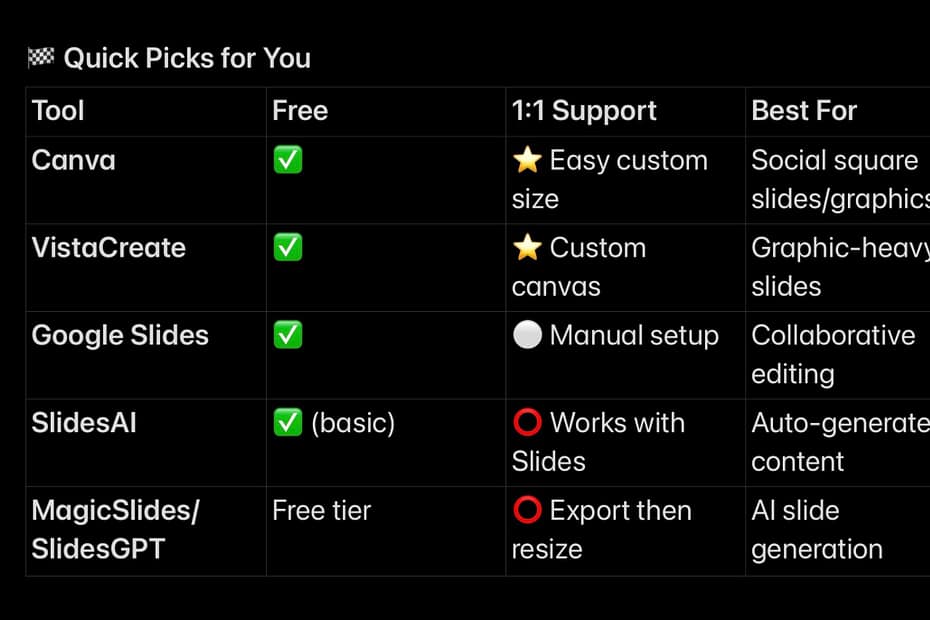
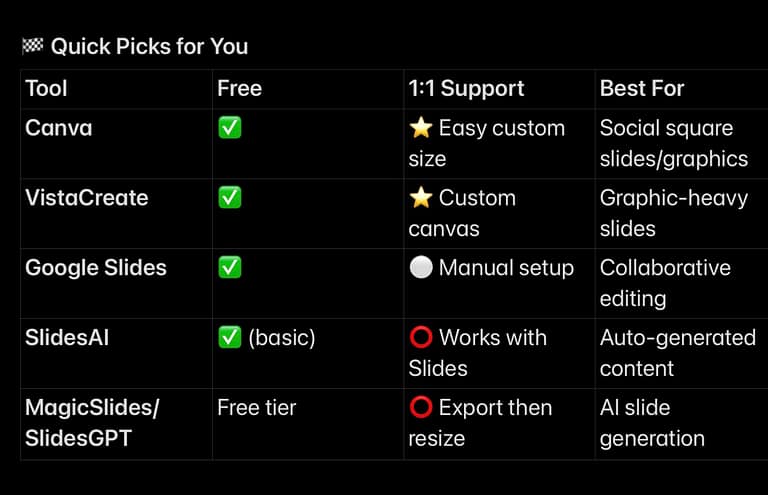
🏁 Quick Picks for You
| Tool | Free | 1:1 Support | Best For |
| Canva | ✅ | ⭐ Easy custom size | Social square slides/graphics |
| VistaCreate | ✅ | ⭐ Custom canvas | Graphic-heavy slides |
| Google Slides | ✅ | ⚪ Manual setup | Collaborative editing |
| SlidesAI | ✅ (basic) | ⭕ Works with Slides | Auto-generated content |
| MagicSlides/SlidesGPT | Free tier | ⭕ Export then resize | AI slide generation |
Thank you for reading and sharing!

,


