

Optimize Before Upgrading
Optimize Before Upgrading Your Hosting
Oh yes. 🐐🌉
This is the missing piece.
Because upgrading hosting is expensive.
Optimizing first is intelligent.
🐐 Optimize Before Upgrading
What to Fix Before Changing Hosts
Once upon a time, Middle Goat noticed something alarming.
The site felt… slow.
Pages lagged.
Load times crept upward.
A comment appeared: “Your hosting is underpowered.”
The troll stirred beneath the bridge.
“UPGRADE!” he shouted.
“Cloud everything!”
Big Goat stepped in calmly.
“Before we rebuild the bridge,” he said,
“Let’s check if we’re carrying unnecessary weight.”
Because here’s a truth many skip: Not every performance issue is a hosting problem.
Sometimes…
It’s optimization.
🌉 The Costly Mistake
Upgrading hosting before optimizing is like:
- Buying a stronger bridge
- While hauling rocks you don’t need
- And dragging broken carts behind you
More power won’t fix inefficiency.
It just makes inefficiency more expensive.
🛠 Step 1: Fix the Obvious Weight
Before touching your hosting plan, check:
🔹 Image Optimization
- Are images compressed?
- Are you serving next-gen formats (WebP/AVIF)?
- Are you loading full-resolution 5MB hero images?
Unoptimized images are the #1 silent performance killer.
🔹 Caching Configuration
- Is page caching enabled?
- Is browser caching active?
- Is object caching available and configured?
- Are you using a CDN correctly?
Many “slow hosting” complaints are actually caching misconfigurations.
🔹 Plugin Overload
Ask yourself:
- Do I really need 37 plugins?
- Are any poorly coded?
- Are there overlapping features?
- Is one plugin consuming excessive resources?
Sometimes one badly written plugin can eat more CPU than your entire theme.
🔹 Database Bloat
Over time:
- Post revisions pile up
- Transients accumulate
- Spam comments linger
- Tables fragment
Cleaning and optimizing your database can dramatically improve response times.
⚙ Step 2: Check Server Configuration (Without Upgrading)
Before moving hosts, verify:
- PHP version is current
- Memory limits are reasonable
- Unused modules are disabled
- HTTP/2 or HTTP/3 is active
- GZIP or Brotli compression is enabled
Sometimes you’re not underpowered.
You’re underconfigured.
📊 Step 3: Measure Properly
Don’t rely on one random speed test.
Use:
- Multiple performance tools
- Real-user monitoring (if possible)
- Load testing during traffic spikes
Look for:
- TTFB (Time to First Byte)
- Largest Contentful Paint
- CPU or RAM usage during peak times
If metrics show consistent resource caps…
Now you may have real friction.
🧌 When Optimization Is Not Enough
Upgrade when:
- You consistently hit CPU limits
- Traffic spikes cause measurable downtime
- Caching cannot stabilize performance
- Your growth projections exceed current capacity
- Revenue depends on reliability
That’s structural load.
Not surface inefficiency.
🐐 The Optimization Ladder
Little Goat optimizes to learn.
Middle Goat optimizes to grow.
Big Goat optimizes continuously — even on powerful infrastructure.
Because optimization:
- Reduces cost
- Improves SEO
- Increases conversion
- Extends infrastructure lifespan
Upgrading should amplify efficiency — not compensate for neglect.
🧭 The Calm Decision Path
1️⃣ Optimize obvious inefficiencies
2️⃣ Configure properly
3️⃣ Measure consistently
4️⃣ Identify true friction
5️⃣ Upgrade only if limits are real
If you skip steps 1–3…
You might mistake clutter for capacity.
🏗 The Final Bridge Lesson
Before replacing your bridge:
- Remove unnecessary load
- Tighten loose bolts
- Reinforce weak planks
Then test again.
If the bridge still strains under real weight…
Upgrade.
But if it stabilizes?
You just saved money — and learned something.
And smart goats don’t upgrade out of frustration.
They upgrade out of evidence.
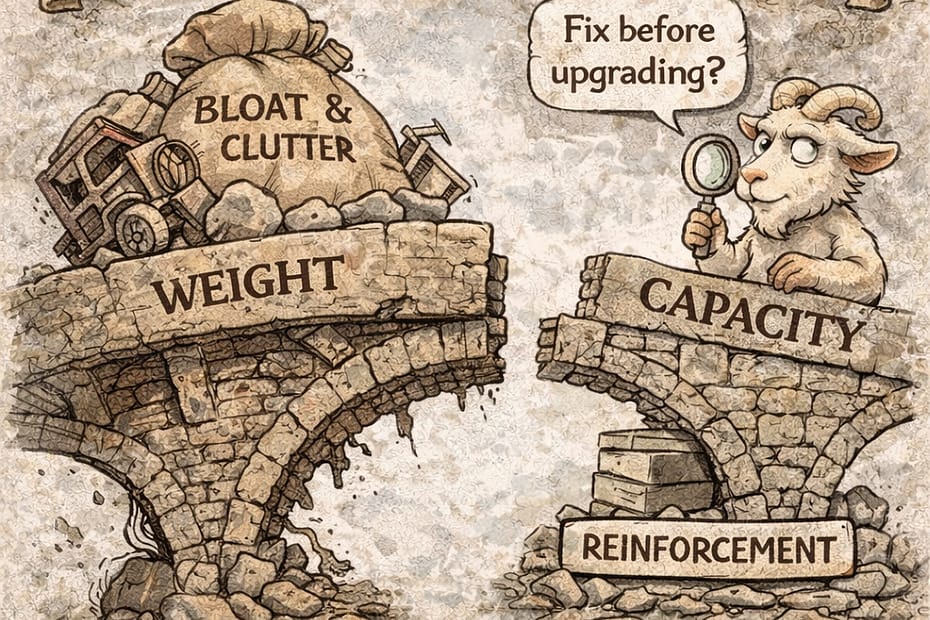
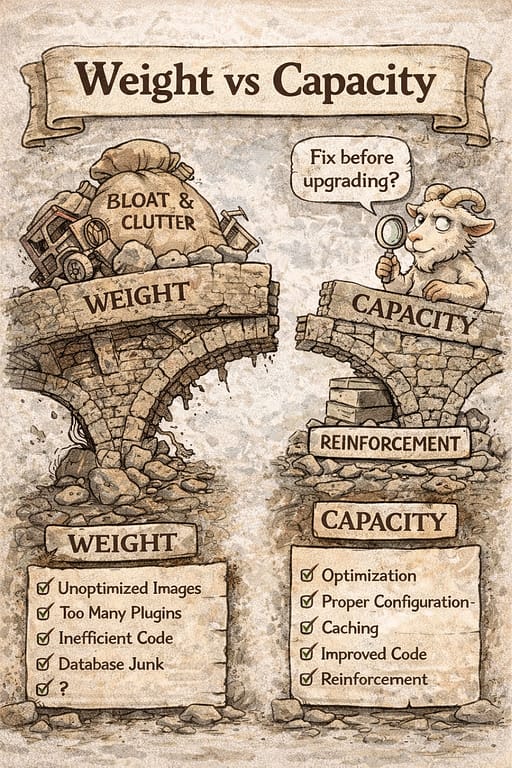
This image lands beautifully. 🐐🌉
The visual contrast is crystal clear:
- Left: Weight (bloat, clutter, inefficient load)
- Right: Capacity (reinforcement, optimization, configuration)
- The goat measuring instead of panicking → perfect symbolism
It reinforces the core philosophy of your entire series:
Don’t confuse inefficiency with insufficient infrastructure.


